PlayMetrics
- 3.3
- Rating
- 100.00K
- Installs
- Free
- Price

 Analysis by App-foxy
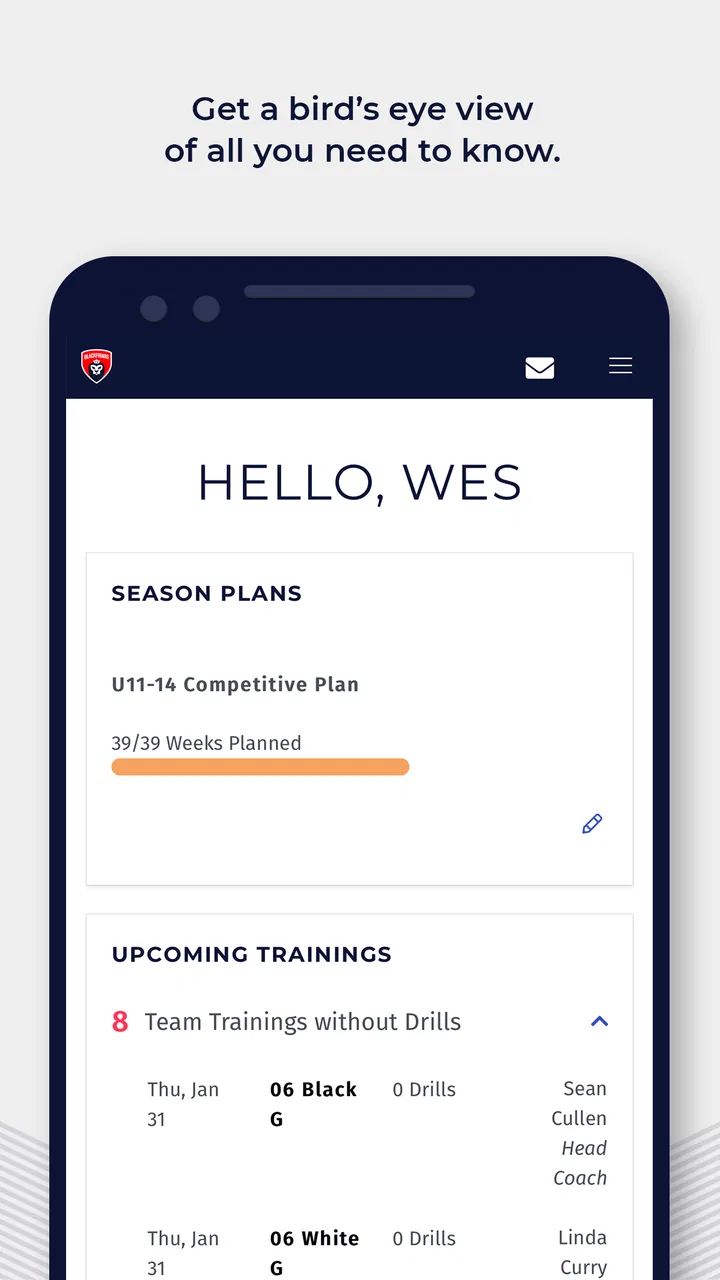
If you help run a youth sports club, the hardest part is often not the game itself. It is keeping registrations, schedules, team details, and communication from becoming scattered across messages, spreadsheets, and last-minute phone calls. PlayMetrics is built for that administrative side of youth sports. I approached it as a club-management app rather than as a training or match-analysis tool, and that distinction matters from the first screen.
The app is free, aimed at everyone, and developed by PlayMetrics. It belongs in the sports category, but its practical audience is coaches, club administrators, team managers, and families who need a clearer way to stay connected to club activity. It has passed the threshold of one hundred thousand installs, while its average score sits at 3.1 from roughly two hundred and sixty ratings and about one hundred and twenty written reviews. That combination tells me to recommend it with some care: there is clear interest, but the experience may not feel equally smooth for every club or every user.
What to Expect Before You Build Your Club Workflow
My first expectation would be that PlayMetrics works best when the club treats it as a shared system, not simply as another app for parents to check occasionally. A club-management platform only becomes useful when the people responsible for teams, events, and communication keep the information current. If one person continues maintaining a spreadsheet while another posts changes in a group chat, the app cannot solve the underlying confusion by itself.
You May Also Like

 Pandora - Music & Podcasts
Pandora’s Music Is Easy to Start, but Harder to Recover
Pandora’s strength is its low-effort path from a seed to a station. Its weak spot is how much confidence it asks you to place in connection, setup, and quiet recovery.

 AccuWeather: Weather Radar
AccuWeather Review: A Quick, Clear Forecast for Everyday Decisions
For everyday plans, the best forecast is the one you can understand quickly. AccuWeather makes rain timing, radar, and local conditions easy to act on, with a few trade-offs.

 Hill Climb Racing
Why Hill Climb Racing Still Turns Crashes Into One More Run
A tiny car, a bumpy hill and one more upgrade: Hill Climb Racing keeps resurfacing because its simple chaos makes every near-miss feel personal.

 AliExpress - Shopping App
AliExpress Makes Global Shopping Feel Personal, but Shoppers Bear the Risk
AliExpress turns a global marketplace into a pocket-sized discovery engine. Its reach is useful, its shopping loop compelling, and its trade-offs easy to miss.

 Lords Mobile: Kingdom Wars
Lords Mobile Is a Kingdom-Building Routine, Not a Quick Match
A case-by-case verdict on the building, battles, device demands, and social commitments that make Lords Mobile rewarding for some players and exhausting for others.

 PDF Scanner app - TapScanner
TapScanner Makes Paperwork Easier to Capture, Check, and Share
TapScanner makes scanning with a phone feel less like a rescue operation and more like a dependable step in getting work done. Its capture tools are useful, though not flawless.
More From Our News Desk
View All News


That is also why I would not install it expecting a digital coach, a fitness tracker, or a replacement for every sports tool. Its store summary describes youth sports club management, so I would judge it by how well it helps organize club participation and day-to-day coordination. Someone looking for detailed player statistics, video analysis, or individual workout plans should look toward a more specialized sports app instead.
The free price makes it easy to test without committing money at the outset. I would still begin with a small, real workflow rather than trying to move an entire club into the app in one evening. Pick one team, one upcoming activity, and the people who genuinely need to see it. That approach gives you a meaningful result quickly and exposes setup problems before they affect every age group.
There is a useful difference between “having an account” and “having a working club process.” The first can happen in minutes. The second requires agreement about who creates information, who checks it, and where families should look when plans change. In my view, PlayMetrics is most promising for clubs willing to establish that habit. It is less convincing for a casual group that only needs an occasional message and already has a reliable chat thread.
Choosing the right starting role
A first-time user should decide whether they are approaching the app as an administrator, coach, team manager, or family member. The same club information can feel very different depending on that role. An administrator may care about structure and consistency, while a parent mainly wants to find the correct team information without navigating unnecessary club-wide detail.
I would avoid creating duplicate entries just because two people share responsibility. Before adding anything, agree on the person who owns the basic update. For example, one team manager can maintain the team’s current information while the coach confirms sporting changes. This small decision prevents the common problem of conflicting versions, where families are unsure whether an old message or a newer app entry is correct.
Another practical tip is to prepare the information you already know before opening the setup process. Have the club name, team names, relevant contact details, and the next important activity in front of you. This is not glamorous, but it reduces the temptation to create incomplete records and promise yourself that you will finish them later. In club administration, “later” often means after the first parent asks where to go.
Setting up a useful first workspace
For a first test, I would create the smallest complete example rather than a broad but unfinished structure. Start with one active team and add only the people who need to participate in that team’s workflow. Then add one upcoming event or piece of information that the group can actually use. The goal is not to make the app look populated; it is to prove that a real person can find the right information without asking you to explain every step.
This approach also helps separate club structure from club history. A new user may be tempted to enter every past activity, old roster detail, and previous announcement. I would resist that. Past information can create visual clutter and make the first useful item harder to identify. Begin with what the team needs now, then expand only when the current process feels dependable.
When inviting or directing other users, give them a simple instruction: where to look first and what action you want them to complete. “Open the team area and check the next activity” is more useful than “Please explore the app.” A focused instruction reveals whether the app is understandable to someone who did not create the setup, which is the real test of a management tool.
One trade-off is that a carefully structured setup takes longer than throwing information into a general-purpose messaging app. The benefit is that important details should be easier to locate later. A chat is quick when everyone is watching the conversation, but it becomes awkward when a family joins late or needs to find an older detail. PlayMetrics makes more sense when the club values a central place over the speed of a single message.
The first meaningful success
For me, the first successful action would be completing one entire communication loop: create or organize the relevant team information, make the next activity visible to the right people, and confirm that a second user can locate it without personal coaching. That is a better milestone than simply signing in or filling out a profile.
Imagine a youth team preparing for its next practice. The manager enters the current activity, checks that it belongs to the intended team, and asks a parent to open the app independently. If the parent can identify what is happening next and where the information belongs, the club has achieved something practical. If the parent still needs to search through messages or ask which screen is authoritative, the setup needs refinement before more content is added.
I would repeat this test with someone who is not comfortable with sports software. A system that only the administrator understands is not really reducing administration. The strongest workflow is one that lets a busy parent check the relevant information in a short moment, perhaps while leaving work or preparing a child’s equipment, without needing to decode club terminology.
A useful habit is to review the app at the same point in the club’s weekly routine. For example, the manager can check the next activity before sending a broader reminder. This creates a simple quality-control step: the app becomes the place where the current information is verified, while other communication channels can point people back to it rather than becoming competing records.
Where first-time users may become confused
The most likely confusion is not necessarily a missing button. It is uncertainty about which information is meant for the whole club, which belongs to a team, and which is intended for an individual responsibility. Youth clubs have several overlapping audiences, and a management app can feel complicated when those boundaries are not clear.
I would therefore pause whenever a screen presents information that seems broader than the task I am trying to complete. Ask whether the item should be visible to every club participant or only to one team. If the answer is unclear, do not rush to duplicate it in several places. Duplicate information may seem safer, but it creates more opportunities for one copy to become outdated.
Another source of friction is the gap between an update being entered and people actually noticing it. An app can hold the correct information, but families may continue relying on old habits. During the first week, I would tell users exactly what has changed in the workflow and repeat the location of the authoritative information. That is not a criticism of PlayMetrics; it is a normal adoption challenge whenever a club moves away from informal communication.
The average rating of 3.1 is worth keeping in mind here. I would not interpret it as proof that the app is unsuitable, but I would take it as a reason to test the experience with the people who will use it most. Administrators may tolerate a little friction because they understand the structure, while parents and occasional volunteers may judge the app by how quickly they can find one answer.
Compatibility is another sensible checkpoint. The current version is 3.6.1 and requires Android 7.0 or later. That covers many devices, but a club should still test the app on the phones its members actually use, especially if the group includes older handsets. A smooth administrator experience does not guarantee that every family will have the same experience, so the first rollout should include a quick check with a few different users.
How it compares with chats, spreadsheets, and broader club platforms
The usual alternative for a small team is a group chat. Chat is excellent for quick questions and urgent reminders, and most families already know how to use it. Its weakness is retrieval: important information gets buried, new members miss earlier context, and several conversations can develop different answers. PlayMetrics is the better fit when the club needs organized information that remains findable beyond the moment it was posted.
A spreadsheet offers another kind of control. It can be flexible and familiar to administrators, especially when they want to sort or edit structured information. However, a spreadsheet often depends on one person knowing how it is organized and remembering to share the latest version. PlayMetrics is more appealing when the club wants participants to access club information through a purpose-built sports environment instead of receiving a file or a collection of links.
Larger club-management systems may offer a wider set of administrative tools, reporting options, or integrations. Those alternatives can be preferable for an organization with complex operations and staff dedicated to administration. The trade-off is that a broader platform may take more time to configure and teach. I would choose PlayMetrics for a club that wants a focused starting point and is prepared to keep its core information tidy, not for an organization that already knows it needs an extensive enterprise-style system.
The important comparison is not simply the number of features. It is the cost of maintaining the workflow. A feature-rich platform that nobody updates is less useful than a smaller system that the team checks consistently. PlayMetrics earns its place when it reduces scattered communication without making ordinary volunteers feel as though they have taken on a second job.
Who will benefit most from using it
I see the clearest fit for youth clubs with several teams, recurring activities, and a recurring need to keep families aligned. It can also suit a volunteer team manager who is tired of answering the same logistical questions individually. The app is especially worth testing when the club has reached the point where chat messages are no longer enough but a large administrative platform feels excessive.
Parents may appreciate it when they want one dependable place to check team-related information instead of searching through personal messages. Coaches can benefit when they need the administrative side to be clearer without turning every practice update into a long conversation. Club organizers may find value in using one shared process across teams, provided they are willing to define who maintains each part.
I would be more cautious if your group is very small, meets irregularly, or already communicates perfectly through a single channel. In that case, the extra setup may not repay itself. I would also skip it as a primary choice if your main need is advanced performance analysis, detailed athlete development, or a sophisticated competition database. Those are different problems, and a club-management app should not be judged as though it were designed for them.
Making the next step manageable
After the first successful action, I would not immediately import every team. Instead, watch one complete cycle of use. Notice which questions still arrive by private message, which details people overlook, and whether the person responsible for updates can maintain the information without reminders. Those observations tell you more than a quick tour of every available area.
Then improve one thing at a time. If people cannot tell where to look, simplify the club’s instructions. If information is duplicated, decide which entry is authoritative. If the administrator is doing all the work, assign a clear responsibility to a coach or team manager. These changes are operational rather than technical, but they are what turn PlayMetrics from an installed app into a useful club routine.
I would also keep a short internal rule for urgent changes: update the central information first, then use the club’s other communication method to direct attention to that update. This prevents the chat from becoming the permanent source of truth. It also gives families a consistent habit: messages alert them, while the app holds the organized detail they may need to revisit.
Because the app is free, the sensible next step is a limited trial with one team and a few real users. Give the trial a clear purpose: confirm that people can find the next activity, understand which information applies to them, and know where future updates will appear. If those three points work, expanding gradually is reasonable. If they do not, identify whether the issue is the app’s flow or the club’s unclear process before committing more people to it.
PlayMetrics is not a magic fix for disorganized youth sports administration, and its modest average score means I would approach it as a product to test rather than blindly adopt. Still, I like the practical direction. It focuses on the everyday work that can quietly overwhelm volunteers and families, and it offers a free way to see whether a shared club-management workflow is better than scattered chats and files.
My recommendation is therefore straightforward: try it if your club needs a common home for team coordination and you can name the people who will keep that information current. Start small, prove one complete communication loop, and judge it through the eyes of a parent who did not build the setup. If that parent can find the right information without help, PlayMetrics is doing the job it needs to do. If your needs are mainly training analysis, complex administration, or casual one-off communication, a different kind of sports app will probably serve you better.
FAQs for PlayMetrics
01What is PlayMetrics, and what features does it offer?
PlayMetrics is an all-in-one sports team management app designed to streamline communication, scheduling, and operations for coaches, players, and parents. It offers features such as team messaging, practice planning, attendance tracking, and player performance analytics. Additionally, the app integrates with calendars to ensure seamless scheduling and provides a centralized platform for managing all team activities.
02Is PlayMetrics available for both Android and iOS devices?
Yes, PlayMetrics is available for download on both Android and iOS platforms. Users can find it on the Google Play Store and the Apple App Store. The app is designed to work seamlessly across devices, allowing users to access their accounts and manage team activities from any smartphone or tablet.
03How user-friendly is PlayMetrics for non-technical users?
PlayMetrics is designed with a user-friendly interface that caters to both tech-savvy and non-technical users. The app provides intuitive navigation and clear instructions, making it easy for coaches, players, and parents to manage schedules, communicate, and track performance without needing extensive technical knowledge.
04Does PlayMetrics offer any customer support for users?
Yes, PlayMetrics provides robust customer support to assist users with any questions or issues they may encounter. Support is available via email and in-app messaging, ensuring timely responses. Additionally, the app offers a comprehensive help center with guides and FAQs to help users navigate features and troubleshoot common problems.
05Are there any costs associated with using PlayMetrics?
PlayMetrics offers various pricing tiers, including a free version with basic features and premium subscriptions that unlock additional functionalities. The premium options are typically designed for larger teams or organizations needing more advanced tools and customization. Users can choose the plan that best fits their needs and budget.
Pros
- User-friendly interface with intuitive navigation.
- Comprehensive analytics for team performance.
- Seamless communication tools for all members.
- Customizable schedules and event reminders.
- Secure data management and privacy features.
Cons
- Limited offline functionality for remote areas.
- Occasional sync issues with external calendars.
- Some features require in-app purchases.
- Initial setup can be time-consuming.
- Limited support for older device models.

PlayMetrics
Gallery